 |  |


|  | |||||||


| Suggestion,Feedback and News about site Submit your suggestion about your class's website,Come on guys. Don't hesitate just submit Now.. |
 |
| | Thread Tools | Search this Thread | Rating:  | Display Modes |
| |
|
#1
 25-09-2010, 07:55 PM
| ||||
| ||||
 How to post attached image inside the Post (Inline attachment) How to post attached image inside the Post (Inline attachment) salam o alaikum! I have guess some of member do not know How to post attached files inside the Post, as i have seen some posts like this.. 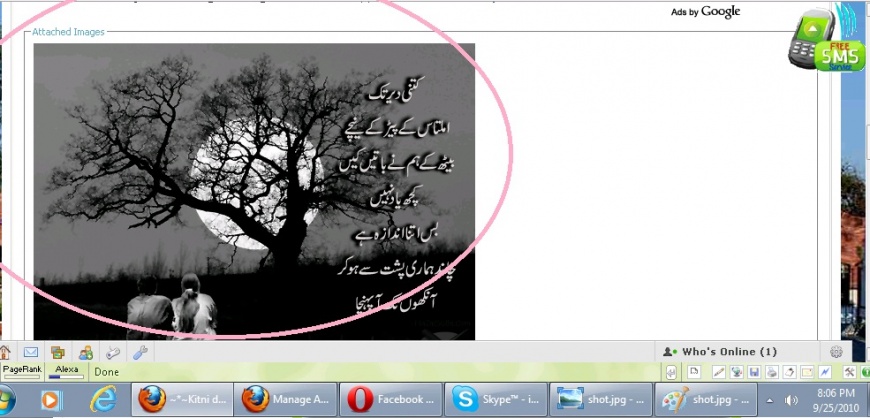 looks little bit aweful  but if you will use these images inside the post ,  look better than that, and by this we can also explain / comment on each picture as i am using here in this post..., look better than that, and by this we can also explain / comment on each picture as i am using here in this post..., Let me show how to do this, it is simple and easy to understand.. Step 1: attach and upload the picture normally...  Step 2: click on the  button after uploading all files.. button after uploading all files.. Step 3: A menu will be dropped down with the list of all attached files. as you can see in above attachment.. Step 4: you can insert all or you can use single attachment by click, click , click.. after inserting attachment inside your post, it looks like this...  Step 5: Here is the final result of the post using inline attachment... or you can see my this post, how it looks.. and how it is useful... 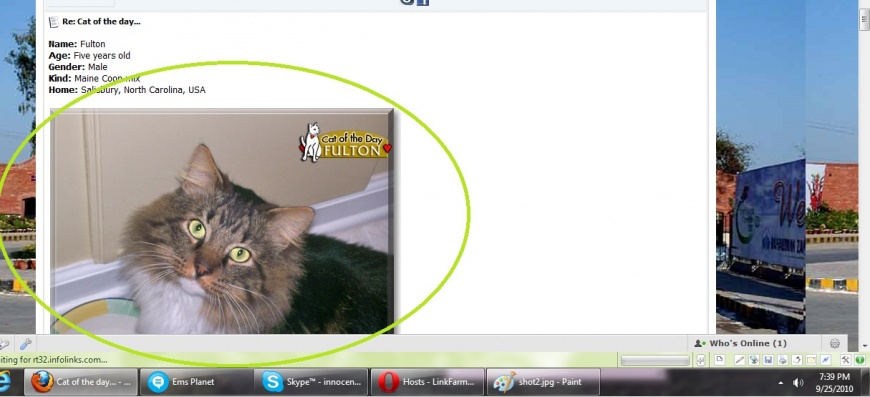 You can use other files (docs/pdf/xls) too. rather than images 
__________________ (¯`v´¯) `*.¸.*` ¸.*´¸.*´¨) ¸.*´¨) (¸.*´ (¸.Bzu Forum   Don't cry because it's over, smile because it happened Don't cry because it's over, smile because it happened   |

 .BZU.
.BZU.





 sadia
sadia



 Life is one way road,from where u cant go back.So dont miss anything.Enjoy every second of life....
|
#3
25-09-2010, 10:12 PM
| ||||
| ||||
 Re: How to post attached image inside the Post Re: How to post attached image inside the Post
muje abhi bhi kuch samaj nai ai is say farq kiya parta hai ? 
__________________  SALMAN MUSHTAQ MOB:0333-7465571 Email: mani@bzupages.com Note: For Merit Lists click here ! Merit Lists of BZU Merit List Distance Learning Education 2012 |

 Salman Mushtaq


|
#4
25-09-2010, 10:29 PM
| ||||
| ||||
| Re: How to post attached image inside the Post Quote:
abh daikho main ne jo pictures upload ki issi thread main, saath saath har picture ki description bhi post ker di... aur agar ap aisay post kerain gay tu kaisay detail likh pain gay, ke is picture main yeh hay , is picture main yehi cheez hain? Cat of the day... --------- yahan apni 2 posts ka difference daikh lain ------ Cat of the day... Cat of the day...
__________________ (¯`v´¯) `*.¸.*` ¸.*´¸.*´¨) ¸.*´¨) (¸.*´ (¸.Bzu Forum Don't cry because it's over, smile because it happened |

|
#5
25-09-2010, 10:35 PM
| ||||
| ||||
| Re: How to post attached image inside the Post
ok samaj a gai ,, acha bzu mailbox members k liyay kab open hu ga ,,
__________________ SALMAN MUSHTAQ MOB:0333-7465571 Email: mani@bzupages.com Note: For Merit Lists click here ! Merit Lists of BZU Merit List Distance Learning Education 2012 |
|
#6
25-09-2010, 10:49 PM
| ||||
| ||||
| Re: How to post attached image inside the Post Quote:

__________________ (¯`v´¯) `*.¸.*` ¸.*´¸.*´¨) ¸.*´¨) (¸.*´ (¸.Bzu Forum Don't cry because it's over, smile because it happened |
|
| Tags |
| attached, attachment, image, inline, inside, post |

« Previous Thread
|
Next Thread »
| Currently Active Users Viewing This Thread: 1 (0 members and 1 guests) | |
| Thread Tools | Search this Thread |
| Display Modes | Rate This Thread |


 Hybrid Mode
| |

 Similar Threads
 | ||||
| Thread | Thread Starter | Forum | Replies | Last Post |
| Post ur Desktop Here | AbdulQuyum | Chit Chat | 3 | 22-08-2009 12:34 PM |
| Post man | Foki | Funny Poetry | 2 | 14-05-2009 06:44 PM |
| First Post of Bukhti in the site | l3akhti | Introduction of all Students. | 1 | 06-03-2008 01:07 AM |
Almuslimeen.info | BZU Multan | Dedicated server hosting
Note: All trademarks and copyrights held by respective owners. We will take action against any copyright violation if it is proved to us.
All times are GMT +5. The time now is 12:47 AM.
Powered by vBulletin® Version 3.8.2
Copyright ©2000 - 2026, Jelsoft Enterprises Ltd.
Copyright ©2000 - 2026, Jelsoft Enterprises Ltd.