 |  |
 |  |  |  |  |  |  |
|  | |||||||


 |
| | Thread Tools | Search this Thread | Rating:  | Display Modes |
|
#1
 26-07-2010, 06:18 PM
| ||||
| ||||
 How to split and join big files using FFSJ (unrar file .rar, .001, ._a , .a00...,.vnw.) How to split and join big files using FFSJ (unrar file .rar, .001, ._a , .a00...,.vnw.) This is very important & essential to know that how to Unrar or join the file .rar, .001, ._a , .a00.....,.vnw. Now i am give you some software name for this extensions. Hope you Like it. * Some files have "rar" extension for which you require "WinRAR" to extract the movie. * Some files have ".001" extension for which you require "HJSplit" to extract the movie. * Some files have "._a" extension for which you either require "FFJS" to extract or else rename the extensions to ".001, .002, .003...." respectively and use HJSplit. * Some files have ".a00, .a01, .a02,..., .alz" extension, for which you have to download "ALZip" for extracting the movie. * Some files have ".vnw" extension in the end. For such files, create a back-up in some other folder. Now rename one set of files to ".rar" and use "WinRAR". 1st Download FFSJ: The Fastest File Splitter and Joiner Version 3.3 FFSJ-Lite vs. FFSJ-Standard FFSJ-Lite is only one .EXE file, it does not need to be installed, you can directly run FFSJ by double-clicking FFSJ.exe. FFSJ-Standard = FFSJ-Lite + Shell Context Menu Plug-in. For Windows 2000/XP/Vista, you must log on as an administrator to install FFSJ-Standard. After installation, you can launch FFSJ from Shell Context Menu: 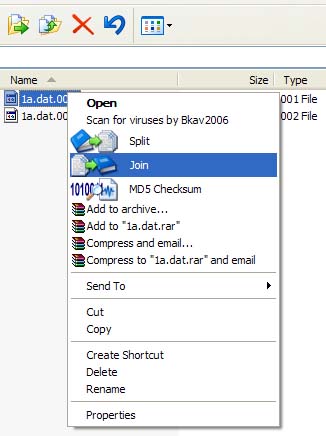 How to split a file? 1. Switch to the "Splitting" tab: 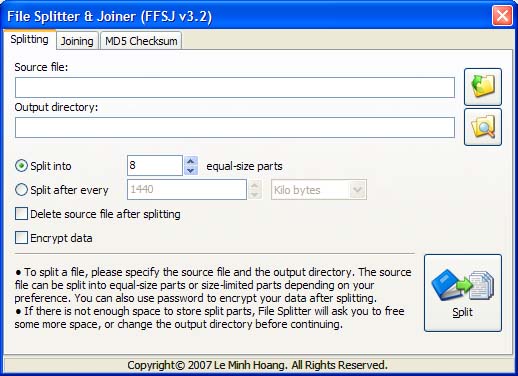 2. Select the source file. There are several ways to select the source file: - Choose the source file from open dialog - Drag a file from Windows Explorer and drop to the "Splitting" tab - Edit source file name directly. - If you have FFSJ-standard installed, you can right click a file and click "Split" from Shell context menu. 3. Setup parameters according to your preference: change output directory, change number of split parts, change part limit, etc. 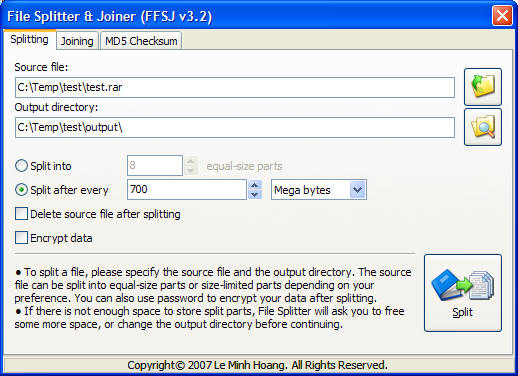 4. Click "Split" button, enter your password if you want to encrypt the data, and wait until File Splitter completed the task. You will see the message: 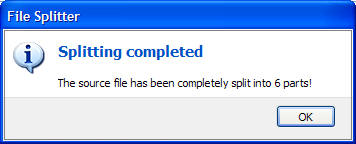 5. Done. How to join split parts together? All split parts must have the same name, except for their extensions (.001, .002, .__a, .__b, etc.). Joining split parts is equivalent to restoring original file. 1. Switch to the "Joining" tab: 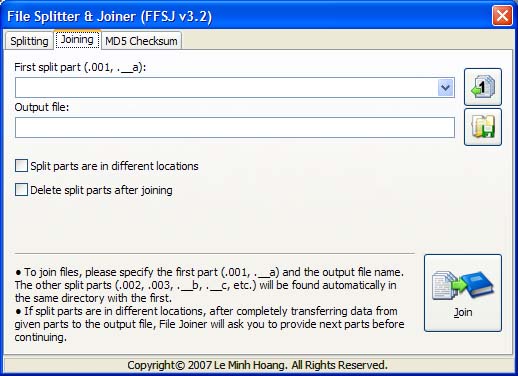 2. Select the first split part (.001 or .__a file). There are several ways to select the first split part: - Choose the first part from open dialog - Drag the first part from Windows Explorer and drop to the "Joining" tab - Edit the first part name directly - If you have FFSJ-standard installed, you can right click a split part and click "Join" from Shell context menu. 3. Check the list of split parts from drop-down list. 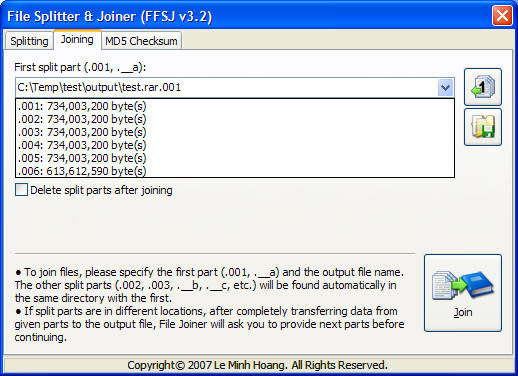 4. Setup parameters according to your preference: Change output file, specify your split parts are in different locations, etc. 5. Click "Join" button, enter the password if your split parts are password-protected, and wait until File Joiner complete the task. You will see the message: 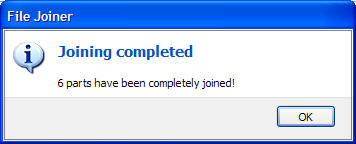 6. Done. How to get MD5 signature of a file? 1. Switch to "MD5 Checksum" tab: 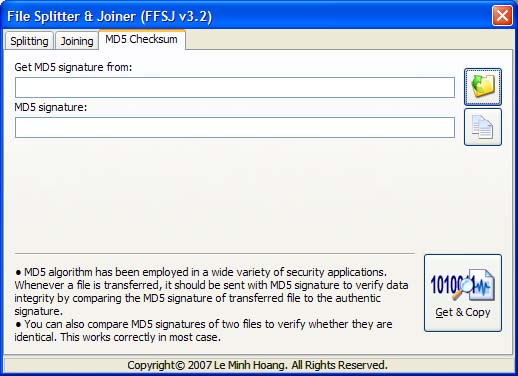 2. Select a file to get MD5 signature. There are several ways: - Choose a file from open dialog - Drag a file from Windows Explorer and drop to the "MD5 Checksum" tab - Edit the file name directly - If you have FFSJ-standard installed, you can right click a file and click "MD5 Checksum" from Shell context menu. 3. Click "Get & Copy" button, and wait until File Checksum complete the task. You will see the message: 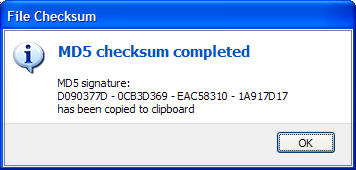 4. Done. MD5 signature has been copied to clipboard, you can paste MD5 signature to somewhere and keep this signature with your file.
__________________ (¯`v´¯) `*.¸.*` ¸.*´¸.*´¨) ¸.*´¨) (¸.*´ (¸.Bzu Forum   Don't cry because it's over, smile because it happened Don't cry because it's over, smile because it happened   |

 .BZU.
.BZU.





|
#2
27-07-2010, 06:31 PM
| ||||
| ||||
 Re: How to split and join big files using FFSJ (unrar file .rar, .001, ._a , .a00...,.vnw.) Re: How to split and join big files using FFSJ (unrar file .rar, .001, ._a , .a00...,.vnw.) i used this software . it is more easy........ u can check it.... remember me in your prayer |

 Nadeem Iqbal



|
#3
27-07-2010, 07:18 PM
| ||||
| ||||
| Re: How to split and join big files using FFSJ (unrar file .rar, .001, ._a , .a00...,.vnw.)
file tu attach kertay.. ap.. waisay main nay jo share kia hay.. wo .a00 and .vnw waghera ko bhi rar unrar ker deta hay
__________________ (¯`v´¯) `*.¸.*` ¸.*´¸.*´¨) ¸.*´¨) (¸.*´ (¸.Bzu Forum Don't cry because it's over, smile because it happened |
|
#4
28-07-2010, 12:09 PM
| ||||
| ||||
 Re: How to split and join big files using FFSJ (unrar file .rar, .001, ._a , .a00...,.vnw.) Re: How to split and join big files using FFSJ (unrar file .rar, .001, ._a , .a00...,.vnw.) |
|
| Tags |
| 001, a00, big, ffsj, file, files, join, rar, split, unrar, vnw |

« Previous Thread
|
Next Thread »
| Currently Active Users Viewing This Thread: 1 (0 members and 1 guests) | |
 Linear Mode

| |

 Similar Threads
 | ||||
| Thread | Thread Starter | Forum | Replies | Last Post |
| Asin-Neil split!!! | Salman Mushtaq | ShowBiz | 0 | 21-07-2011 04:38 PM |
| Join bzupages.com | Danish Hussain | Computer Operating Systems | 1 | 04-03-2008 04:36 PM |
Almuslimeen.info | BZU Multan | Dedicated server hosting
Note: All trademarks and copyrights held by respective owners. We will take action against any copyright violation if it is proved to us.
All times are GMT +5. The time now is 12:50 AM.
Powered by vBulletin® Version 3.8.2
Copyright ©2000 - 2026, Jelsoft Enterprises Ltd.
Copyright ©2000 - 2026, Jelsoft Enterprises Ltd.